
Steering
of 900° rotation
Your sim rig, set up on Linux.


Gear
H 6+R
Position
At rest
Wheel bases, steering wheels, pedals, shifters and handbrakes of any brand. SimRig installs their drivers, shows each one moving live, and leaves them working in every game with the app closed.
Install SimRigThe driver, installed for you
-
Found
 Fanatec CSL DDFanatec · needs a driver
-
Asks once
Fanatec CSL DD
Asks for your password once to install hid-fanatecff
-
Ready
Fanatec CSL DDFanatec · driver installed, kept after kernel updates
Built for your kernel with DKMS, from the open source driver bundled in the brand's plugin. With Secure Boot on, one restart enrolls its key.
Nothing hidden
Wheel base
Fanatec CSL DD Fanatec
Essentials
Rotation
Force feedback strength
Set center
Hold the wheel straight and use the base's own menu.
Natural friction
Spring effect strength
Interpolation filter
Fanatec settings
Tuning slot
Force effect intensity
Undo changes
- Rotation in one clickThe usual values as chips, the slider for the rest, up to what the base can do.
- Says where it is keptIn the driver or the device with the app closed, or only until unplugged.
- Applies at onceEvery change reaches the device while a game runs. Nothing to apply.
- Unsupported, with the reasonWhat the device or its driver cannot do stays in place, disabled, and says why.
- Advanced, one step awayThe expert settings wait folded, never in the beginner's way.
- Save as defaultStored in the driver or the base, back at every plug-in, in every game.
The whole rig on one screen
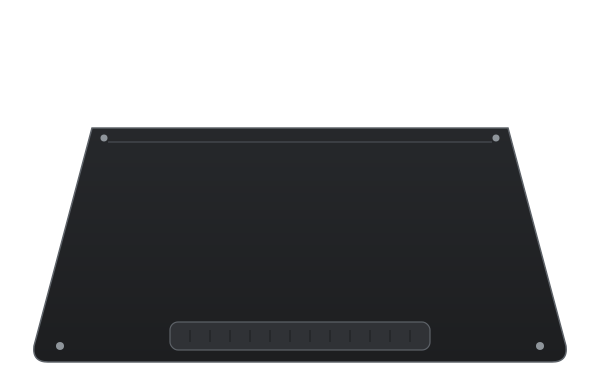
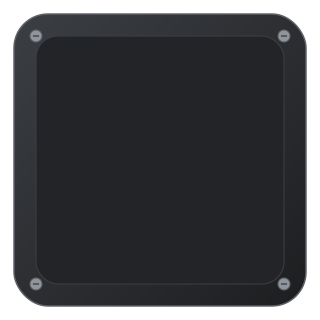
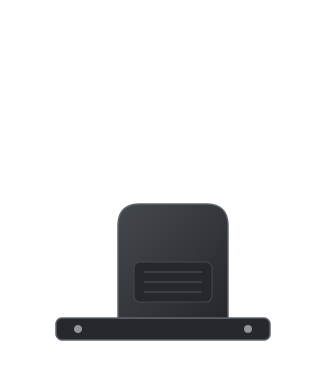
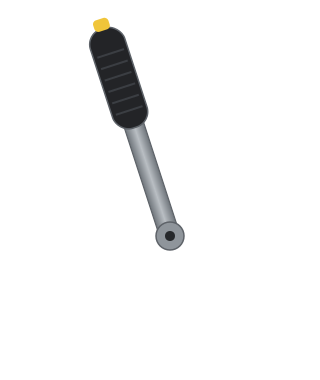
Each device is drawn as it stands on the rig and moves as it is used. A base from one brand, pedals from another and a no-name shifter sit side by side, and a preset switches the whole rig with a click.


Supported devices
Each brand has a plugin that knows its devices and the open source Linux driver they use. Open a brand for its models, its driver and what can be set.
Tested means tried on real hardware. The rest works in SimRig's tests on simulated devices: a 15-minute test on yours moves it to tested for everyone.
Fanatec
- CSL DDTested
- GT DD Pro and ClubSport DDUntested
- Podium DD1 and DD2Untested
- CSL Elite, ClubSport V2 and V2.5Untested
- CSR Elite, Porsche 911 Turbo SUntested
- Their steering wheels, CSL and ClubSport pedalsUntested
Moza
- CRP2 pedalsTested
- R3, R5, R9, R12, R16 and R21 basesUntested
- SR-P and CRP pedals, HBP handbrakeUntested
- SGP and HGP shiftersUntested
Logitech
- G29, G923, G27, G25Untested
- G920 and G923 for XboxUntested
- G PRO and RS50, with TrueForceUntested
- Driving Force GT and Pro, MOMO, WingManUntested
Thrustmaster
- T300 RS, T-GT II, T248, T128Untested
- TX, TS-PC Racer, TS-XWUntested
- T150 and TMXUntested
- T500 RS and T80, inputs onlyUntested
Simagic
- Alpha, Alpha Mini, Alpha UUntested
- EVO Sport, EVO, EVO ProUntested
PXN
- VD4Tested
- VD6Untested
- V10, V12, V12 Lite, Lite Star GT987Untested
Other wheel bases
- Cammus C5 and C12Untested
- Asetek Invicta, Forte, La PrimaUntested
- VRS DirectForce Pro, FFBeast, OpenFFBoardUntested
- Turtle Beach VelocityOne RaceUntested
Any USB device
- H-pattern shiftersTested
- HandbrakesTested
- Sequential shiftersUntested
How a device is added
First, plug it in.
A known model is recognized by itself. A device no plugin knows can still be set up, as a shifter or a handbrake.
Then, one password.
If the device needs a driver, SimRig installs it through polkit and says why first. Nothing else runs as root.
Next, move it once.
Where the plugin cannot know which input is which, each gear or axis is learned by moving it. Mapping by hand stays on offer for any device.
Last, just drive.
The driver does the work, in every game. SimRig can be closed, and nothing is left running.
Add a device
Connect the device to a USB port. Known devices are recognized automatically.
USB shifterNo plugin knows it · set up by moving it
Driver
SimRig's generic USB service presents the shifter to games as a joystick, with SimRig closed.
Asks for your password once to install the driver.
Set up
Move the lever to 3rd gear and hold it.
Gears 1 and 2 mapped. Held for half a second, the gear is learned.
Done
Games see it as SimRig shifter, in every game, with SimRig closed.
Gear3
- Connect
- Driver
- Set up
- Done
Built on the drivers of
Questions
-
Most do, through an open source kernel driver: some are in the kernel already, others (Fanatec, Thrustmaster, Simagic, and Moza or PXN on kernels older than 6.15) need one built for your kernel. SimRig knows which driver each model needs and installs it for you. See the supported devices and your brand’s page for what works.
-
No. The drivers do the work, in every game, with SimRig closed. SimRig is only needed to change settings; Save as default keeps them in the driver or in the device for every time it is plugged in.
-
No. It runs as you and asks for your password only when something touches the system, such as installing a driver, and says why before asking. It leaves nothing running when closed.
-
Games need the device to be readable by your user, bound to the right kernel driver, and not hidden by Steam Input. SimRig checks each of these for every device, shows what is wrong on the device’s screen and fixes it with one click where it can.
-
With Secure Boot on, a driver built for your kernel loads only when signed with a key the firmware trusts. DKMS signs the drivers it builds; if that key is not trusted yet, SimRig asks to enroll it (MOK) and gives a one-time password. At the next restart, choose Enroll MOK and type it. This is needed once, not for every driver.
-
No. A driver you installed by other means (from your distribution, from the AUR, by hand) is kept as it is: SimRig uses it and only adds its access rules next to it.
-
Drivers that SimRig builds are registered with DKMS, which rebuilds them for every new kernel. Your devices keep working after updates and reboots.
Most do, through an open source kernel driver: some are in the kernel already, others (Fanatec, Thrustmaster, Simagic, and Moza or PXN on kernels older than 6.15) need one built for your kernel. SimRig knows which driver each model needs and installs it for you. See the supported devices and your brand’s page for what works.
No. The drivers do the work, in every game, with SimRig closed. SimRig is only needed to change settings; Save as default keeps them in the driver or in the device for every time it is plugged in.
No. It runs as you and asks for your password only when something touches the system, such as installing a driver, and says why before asking. It leaves nothing running when closed.
Games need the device to be readable by your user, bound to the right kernel driver, and not hidden by Steam Input. SimRig checks each of these for every device, shows what is wrong on the device’s screen and fixes it with one click where it can.
With Secure Boot on, a driver built for your kernel loads only when signed with a key the firmware trusts. DKMS signs the drivers it builds; if that key is not trusted yet, SimRig asks to enroll it (MOK) and gives a one-time password. At the next restart, choose Enroll MOK and type it. This is needed once, not for every driver.
No. A driver you installed by other means (from your distribution, from the AUR, by hand) is kept as it is: SimRig uses it and only adds its access rules next to it.
Drivers that SimRig builds are registered with DKMS, which rebuilds them for every new kernel. Your devices keep working after updates and reboots.
Install SimRig on now
sudo apt install ./simrig_*_amd64.debThe package is on the latest release. Then open SimRig: the first setup checks the system, finds the devices and installs what they need. More on installing.